


I tested Notes, Notepad, To Do Launcher as a lightweight productivity app, and its biggest appeal became clear in ordinary household moments rather than in a carefully planned workday. It is the kind of tool you open when someone says, “Please remember this,” when a shopping idea appears while you are busy, or when a small task needs to stay visible instead of disappearing into a crowded calendar. The app combines notes, reminders, to-do planning, color organization, and widgets in one place, so it feels closer to a practical household noticeboard than to a full project-management system.
That distinction matters. I would not choose it as a replacement for a team workspace or a detailed calendar, but I can see why a simple notes launcher attracts a large audience. It is free, rated for Everyone, and works on Android devices running version 10 or later. AtomApplications has kept the concept focused: capture information quickly, give it a visual label, and make important items easier to reach from the home screen.
The app has reached more than a million installs, with an average score of 4.2 from roughly twenty-three thousand ratings. Those figures suggest that it is not an obscure experiment, but they do not remove the need to judge whether its particular style fits your habits. In my experience, the value comes from reducing small amounts of friction. If you already have a complicated productivity system that you use consistently, this may feel too modest. If your current system is scraps of paper, forgotten messages, and mental reminders, it can be a useful step up.
How it works when several people use one household device
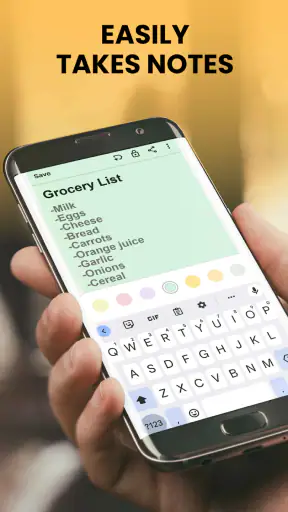
The most convincing use case is a shared tablet or a phone that regularly moves between people in the home. Imagine preparing for a busy Saturday: one person needs groceries, another wants a reminder about a school item, and somebody else has a repair note that should not be forgotten. A quick note can hold the detail, a to-do item can represent the action, and a color can help separate urgent errands from general information.
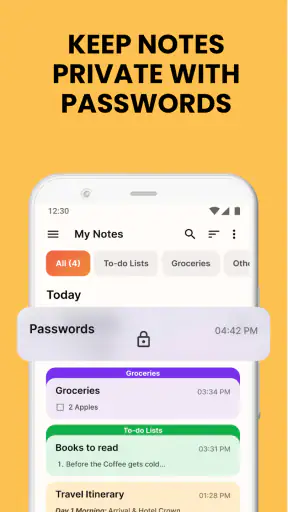
This does not turn the device into a synchronized family dashboard. I would treat the app as a shared surface for visible coordination, not as a private messaging system. Whoever can open the device may be able to see what has been written, so the practical rule is simple: use it for household logistics, not sensitive personal material. That boundary is especially important when a phone is passed around or left on a kitchen counter.
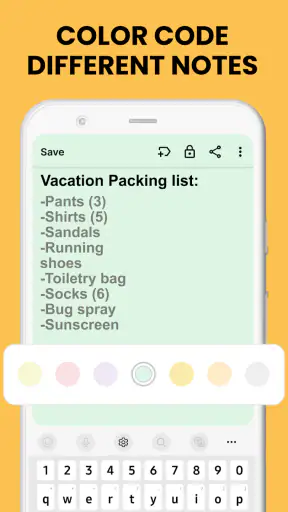
Color coding is more useful here than it first appears. Instead of assigning colors randomly, I found it easier to create a household convention: one shade for shopping, another for appointments or time-sensitive tasks, and a third for ideas that do not need immediate action. The app does not need a complicated tagging structure for this workflow. The visual distinction does much of the sorting work before anyone reads every line.
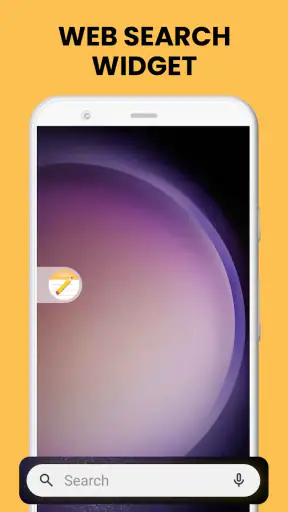
Widgets can make this arrangement more effective because they bring selected information closer to the home screen. I would use a widget for the short list that changes during the day, such as errands or items to pack, while keeping longer reference notes inside the app. That prevents the home screen from becoming a wall of text. The useful insight is to treat the widget as a temporary display, not as the complete archive.
A shared-device setup also exposes one of the app’s limitations: it is not the same as having separate accounts with carefully controlled access. If several people need their own private spaces, individual profiles, or a detailed history of who changed an item, a dedicated family organizer will be a better fit. Notes, Notepad, To Do Launcher is strongest when everyone understands that the device is a common notepad and agrees on what belongs there.
Setting boundaries before the first note
I recommend deciding what the app is for before filling it with information. On a personal phone, that might be quick ideas, recurring chores, and reminders that are easy to forget. On a shared device, the first categories should be practical and non-sensitive: shopping, household maintenance, school supplies, meal planning, or a list of things to discuss later.
This small act of preparation prevents a common problem with simple note apps: everything becomes one undifferentiated stream. A note about a leaking tap, a password hint, a recipe adjustment, and a weekend plan may all be useful, but they should not be treated as equally visible. I would keep short-lived tasks separate from reference notes and use color consistently rather than decorating every item differently.
The app’s free price makes experimentation easy. You can try a structure without committing to a subscription or migrating an entire productivity system first. That is helpful for a household deciding whether a shared digital list is actually better than paper. At the same time, free access should not encourage careless storage of private details. Convenience is not the same thing as confidentiality, and the app should be used within the privacy expectations of the device.
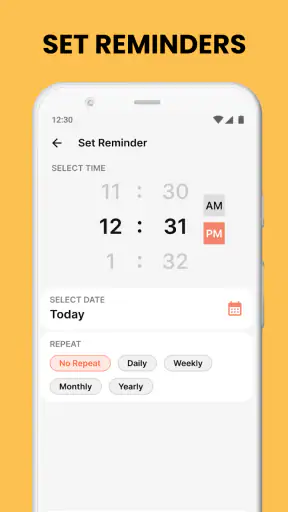
Another boundary concerns reminders. A reminder is useful only if the person who needs it will see it at the right time. If a household member rarely checks the app, adding more reminders will not solve the coordination problem. I would pair a reminder with a visible widget or a short conversation, especially for tasks that affect someone else. The app can support a routine, but it cannot create shared responsibility by itself.
There is also a difference between a note and a commitment. A note records information; a to-do item suggests an action. Mixing both in one long page makes it harder to know what still needs doing. My preferred workflow is to write the context in a note, then create a short action item for the next step. For example, the note can contain measurements or details about a household repair, while the task simply says to contact the repair service. This keeps the action readable without losing the background.
Coordinating errands, chores, and changing plans
The app works best for coordination when tasks are small enough to be completed in one sitting. A grocery list, a reminder to take something from the car, or a short set of chores benefits from quick access and clear wording. I would avoid turning it into a giant master plan. Large lists become less trustworthy because old items remain beside new ones, and people stop checking them.
A practical routine is to create a fresh short list for a specific period, then remove or rewrite items as circumstances change. For a household, that might mean a list for today rather than one permanent page containing every future obligation. The advantage is psychological as well as practical: a short list feels current, so people are more likely to act on it.
Color notes can also help with handoffs. If one person starts a task and another must finish it, a distinct color or a clear first word can show that the item is waiting for someone else. I would write “Call,” “Buy,” “Pack,” or “Check” at the beginning of the line instead of relying on vague wording. This is a small habit, but it prevents the reader from having to interpret what a note means.
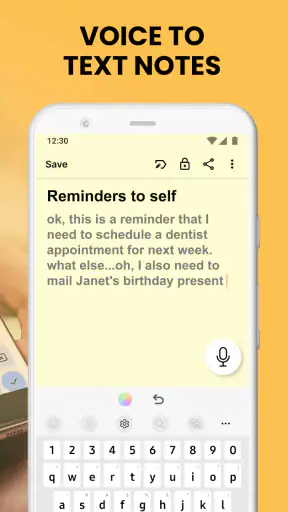
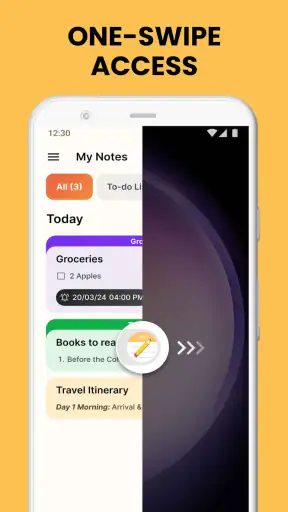
The launcher idea is valuable for people who capture thoughts quickly. Rather than opening a large productivity suite and navigating through several areas, the app is designed around getting to a note or task with less ceremony. That speed is particularly useful when cooking, shopping, or moving between rooms. The trade-off is that a quick-capture tool may not provide the depth that a dedicated planning platform offers for dependencies, shared assignments, or long-term scheduling.
For comparison, a standard notes app is often better for long writing, document scanning, or a large collection of reference material. A calendar is better when the exact time and date are the main point. A full to-do manager is better when projects contain many steps and responsibilities. Notes, Notepad, To Do Launcher sits between these options: more action-oriented than a blank notebook, but lighter than a structured project system.
That middle position is not a weakness for everyone. I often prefer a tool that handles a few common tasks clearly instead of offering dozens of controls I will not use. But readers should be realistic about the trade-off. If your household needs automatic assignment, detailed collaboration, or a dependable record of changes, this app may leave too much coordination to conversation and personal discipline.
Age, trust, and the reality of a shared screen
The Everyone age rating makes the app approachable for mixed-age households. A child, teenager, parent, or older relative can understand the basic idea of writing something down and checking it later. That does not mean every use case is equally suitable for every age. Younger users may need help learning which items are temporary, which are important, and which should never be entered into a shared device.
I would introduce the app to children through low-risk responsibilities: a packing list, a homework reminder, or a simple chore. The goal is to teach reliable habits rather than turn the app into a monitoring tool. A child should know that a note can be visible to other people using the device. That expectation is healthier than assuming a shared notepad is private.
For older family members, the home-screen approach may be more comfortable than navigating a complex productivity service. Large, clearly written items and a small number of colors can make everyday information easier to find. Still, the setup should be kept uncluttered. Too many widgets or categories can make a supposedly simple tool confusing, especially for someone who wants one obvious place to check.
Trust is central to shared use. The app can hold a household list, but it does not replace an agreement about who may edit it and how changes should be communicated. If a person deletes an item after completing it, another person may not know whether it was finished or simply removed. For important tasks, I would add a brief completion note or use a separate “done” area temporarily before clearing the list.
This is also where account boundaries matter. I would keep personal journaling, financial details, private health information, and anything intended for one person only outside a shared installation. The app’s usefulness comes from access, and access is exactly what makes careless sharing risky. A family can use it responsibly, but the responsibility comes from the household rules rather than from treating the app as a secure private vault.
What changed in my daily routine
After using the app for ordinary planning, I found that its best role was not storing everything. It was catching the small details that usually vanish between one activity and the next. I could write down an item while it was fresh, give it a visual category, and place the most relevant list where it was easier to notice. That reduced the number of times I had to reopen a conversation or rely on memory.
The most effective workflow was a two-stage one. First, I captured the thought quickly, without trying to organize it perfectly. Later, I cleaned up the wording, moved it into the appropriate category, and removed anything that was no longer useful. This approach takes advantage of the launcher’s speed while avoiding the mess that comes from treating every quick note as a finished plan.
I also learned not to use reminders as a substitute for review. A list can remain technically active while no longer matching reality. A short evening check is more valuable than adding another alert to an outdated page. For household use, I would make this review part of an existing routine, such as checking the list before leaving for shopping or before preparing for the next day.
The current version is 2.24.0, and the app was released on January 5, 2024. Those details place it among relatively recent productivity options, but they do not change the basic judgment I would make: its success depends more on a clear personal workflow than on advanced automation. I would choose it for quick access and visual simplicity, not because I expect it to manage a complicated life automatically.
Where another app would serve you better
I would skip this app if I needed a sophisticated shared workspace. A household running a renovation, a volunteer group coordinating many people, or a professional team tracking deadlines may need assignments, conversations, file handling, and a stronger project structure. In those situations, the lighter design becomes a constraint rather than an advantage.
I would also look elsewhere if my main need were a calendar. A reminder or task can prompt an action, but time-based planning is easier when appointments are displayed alongside the rest of the day. Likewise, people who write long notes, collect extensive research, or need advanced search may prefer a more established notebook application with deeper document tools.
On the other hand, I would recommend giving this app a fair trial if the current alternative is scattered paper notes or messages sent to yourself. It can provide a single, more visible place for short information without forcing you to learn a complicated system. The free price lowers the risk of trying it, and the Everyone rating makes it suitable for a broad household audience when the device and content boundaries are clear.
One question many readers will have is whether it can serve an entire family automatically. My answer is no: it can support a family routine, but it should not be mistaken for a full family-management platform. Another likely concern is whether it replaces a calendar. I would use it alongside a calendar when exact timing matters, reserving this app for quick notes, lists, and reminders. If the question is whether it is suitable for children or older relatives, the basic interface can work, provided an adult explains visibility and keeps the structure simple.
My household verdict
Notes, Notepad, To Do Launcher is a practical productivity app for people who want notes and small tasks to stay close at hand. I like its combination of quick capture, color organization, reminders, and widgets because it supports the messy reality of everyday life instead of demanding a perfect planning routine. Its strongest quality is approachability: a person can start with one note and gradually develop a system.
Its limits are just as important. Shared-device use requires trust and clear rules, and the app should not be treated as a private account system or a replacement for detailed collaboration. It also rewards regular cleanup; without that habit, visual organization can turn into another crowded list. Those are not reasons to dismiss it, but they are reasons to choose it with realistic expectations.
For my own recommendation, I would suggest it to a household that needs a common place for errands, chores, reminders, and short reference notes. I would keep sensitive information elsewhere, use colors sparingly, and separate background notes from the action that needs to happen next. If that sounds like the kind of help you need, this free app is worth trying. If you need deep scheduling, private user boundaries, or project-level collaboration, a more specialized alternative will be the better choice.
In the end, the app succeeds by making modest improvements to familiar problems: forgetting, searching, and failing to notice a small task until it becomes urgent. It will not organize a household on its own, but with a simple shared routine, it can become a useful digital noticeboard that people actually check. Its real strength is not complexity; it is making everyday information visible at the moment it matters.


